Real-World AI Prompts from Our Agency: Part 3 - Frontend Development
27. 12. 2025
Julie Šebestová
Categories: AI in Practice, Web application development, Website Development
At our digital agency, we handle the full spectrum of digital solutions—from simple websites to complex web platforms and custom software development.
We leverage sophisticated AI tools like Anthropic Claude, OpenAI ChatGPT, and Google Gemini in our daily operations. These technologies are seamlessly woven into our workflows to enhance the quality and efficiency of our processes.
Today, we’re pulling back the curtain on our agency operations to share real-world examples of AI prompts in action.
This is the third post in our AI applications series:
Part 1: CEO’s perspective on AI in business operations and management
Part 2: Developer’s prompt examples
AI in Modern Development Workflows
Artificial intelligence has been the hot topic for a while now, and that’s not changing anytime soon. The centerpiece of this revolution is Large Language Models (LLMs)—specifically ChatGPT, Claude, Gemini, and many others. The software development world is experiencing rapid, fundamental changes in workflows and tools that are now accessible to small firms and even individual developers at remarkably affordable rates. While technological advancement accelerates, this brings its own challenges—primarily in how quickly companies and developers can adapt and effectively leverage these new tools.
The key is understanding the advantages, disadvantages, and most importantly, the limitations of this new technology. Rather than rehashing LLM theory or sharing impractical prompts that flood the internet, I’ll walk you through a straightforward conversation with ChatGPT that helped me quickly process and implement a client request: a testimonial slider for an existing WordPress template.
All the context the LLM needed was provided within the conversation—no Copilot or other IDE-integrated LLM tools were used. While those tools have their own pros and cons (a topic for another article), I want to focus on the individual exchanges in this conversation to highlight when you can rely on AI and when you need to proceed with caution.
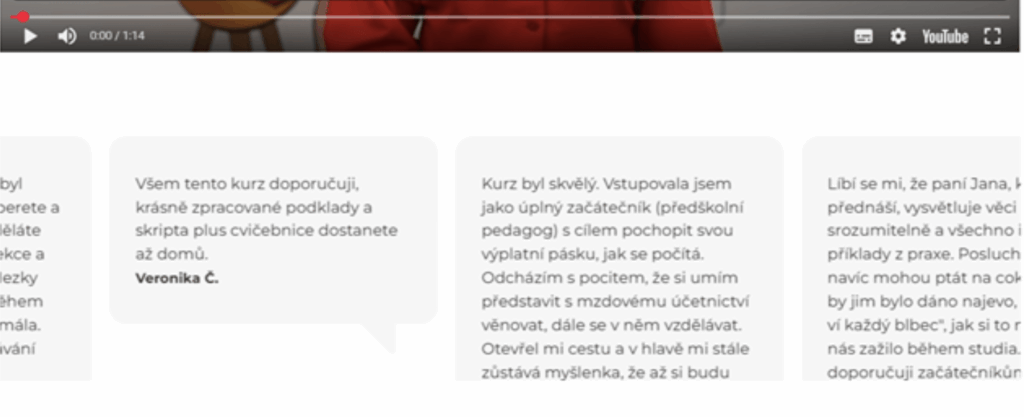
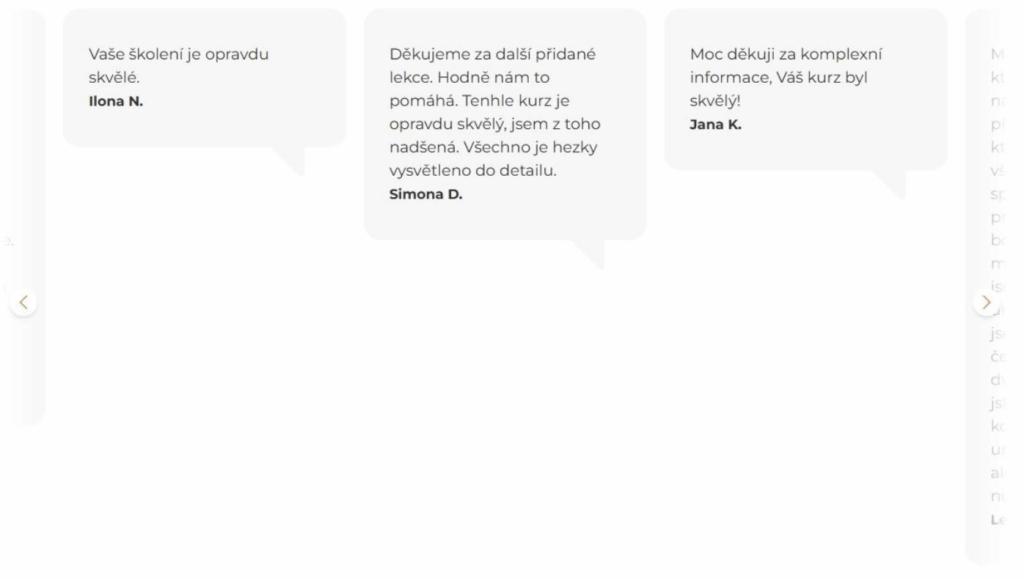
I had two approaches: image-based or code-based. I could have started the ChatGPT conversation with the “before” image above—the AI would recognize the layout structure, colors, and content type, then generate code based on my instructions. That’s ideal when building something from a design that isn’t yet coded. In our case, it made more sense to use the existing slider code and feed it into the conversation along with our requirements.
I copied the HTML/PHP and JS code for the slider and outlined the client’s requirements:
- Disable auto-scrolling
- Display navigation arrows (fixed) for testimonial navigation
- Make adjacent testimonials partially visible with fade-out effect
- No drag-and-drop functionality
Right off the bat, I received a relatively accurate response with code modification suggestions.
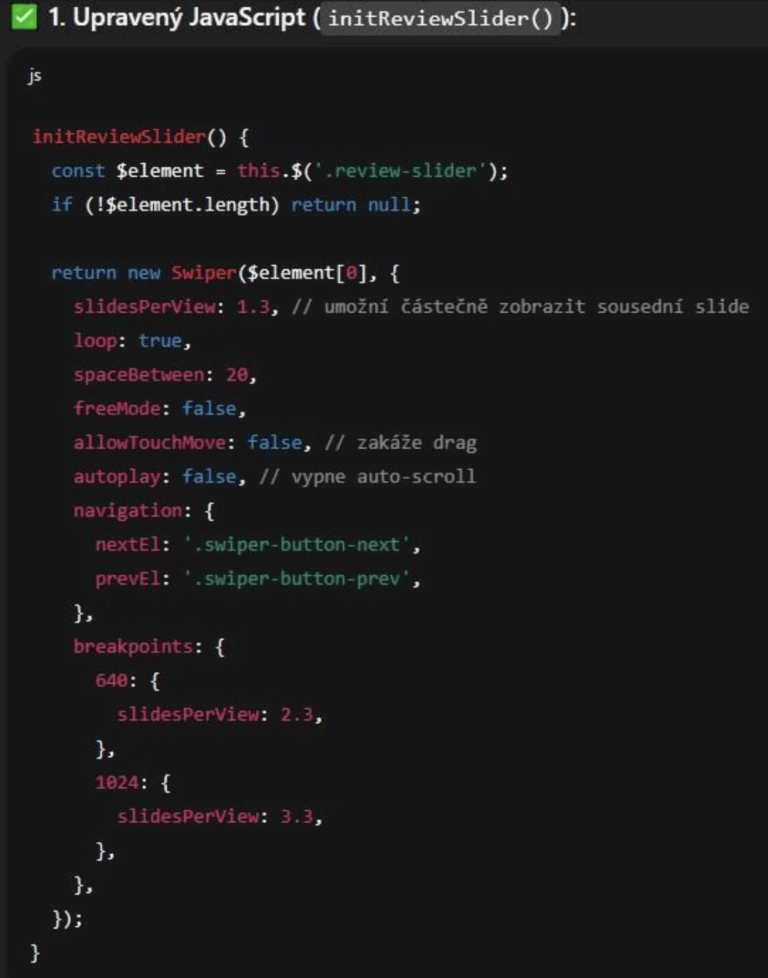
ChatGPT recognized my code was using the Swiper slider library. Since it knows this library, it understood which parameters to use and how to meet our requirements. We just need to watch the version the AI is working with—it might have been trained on an older library version than what’s in our project.
However, today’s leading language models from major companies receive frequent updates, and most software maintains backward compatibility. Many procedures and configurations are now standardized. As developers, we know how often the libraries we work with change, allowing us to gauge how much we can rely on AI. For instance, even if ChatGPT wasn’t using my exact Swiper version, parameters like SlidesPerView, Loop, and Autoplay have existed for many versions and will likely continue to exist.
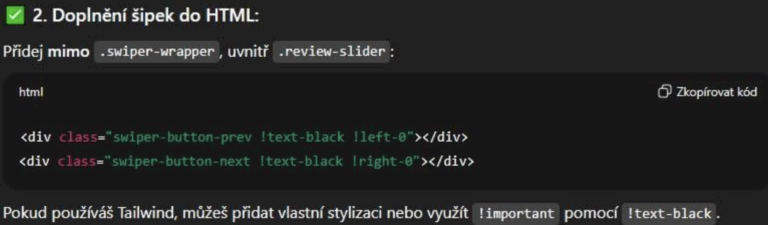
Since we needed navigation arrows in the slider, ChatGPT knew to add them to the HTML and reference them via JS parameters, which it did in the previous block. It also recognized we’re probably using Tailwind for styling, though it wasn’t certain. While we use Tailwind classes, the class names alone don’t confirm this—we could have a custom framework with similar naming conventions.
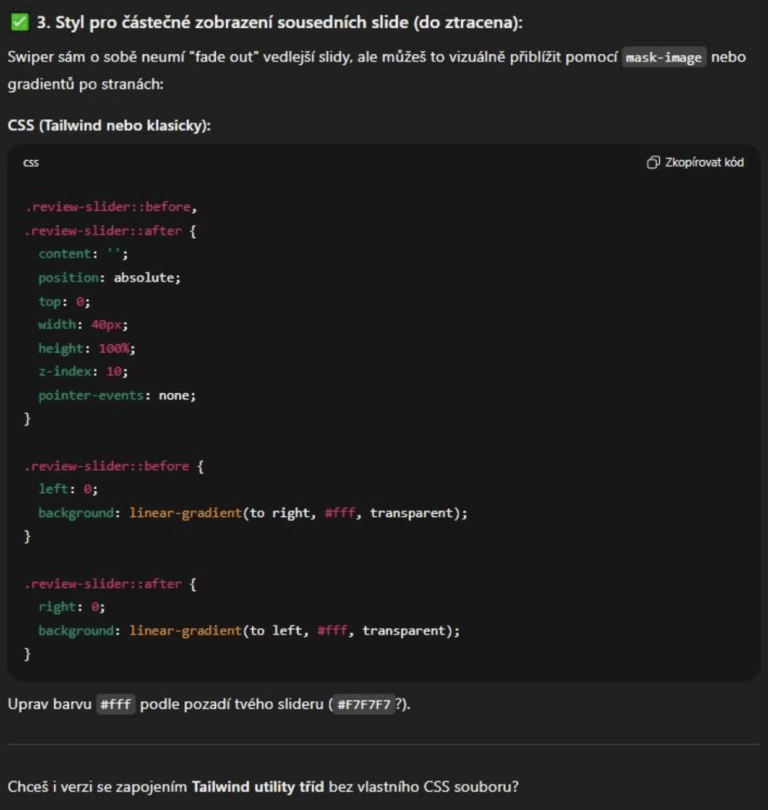
In an AI-integrated environment, it would know Tailwind is actually in the project. Even so, there are multiple implementation options—we could create arrows using pseudo-classes despite using Tailwind.
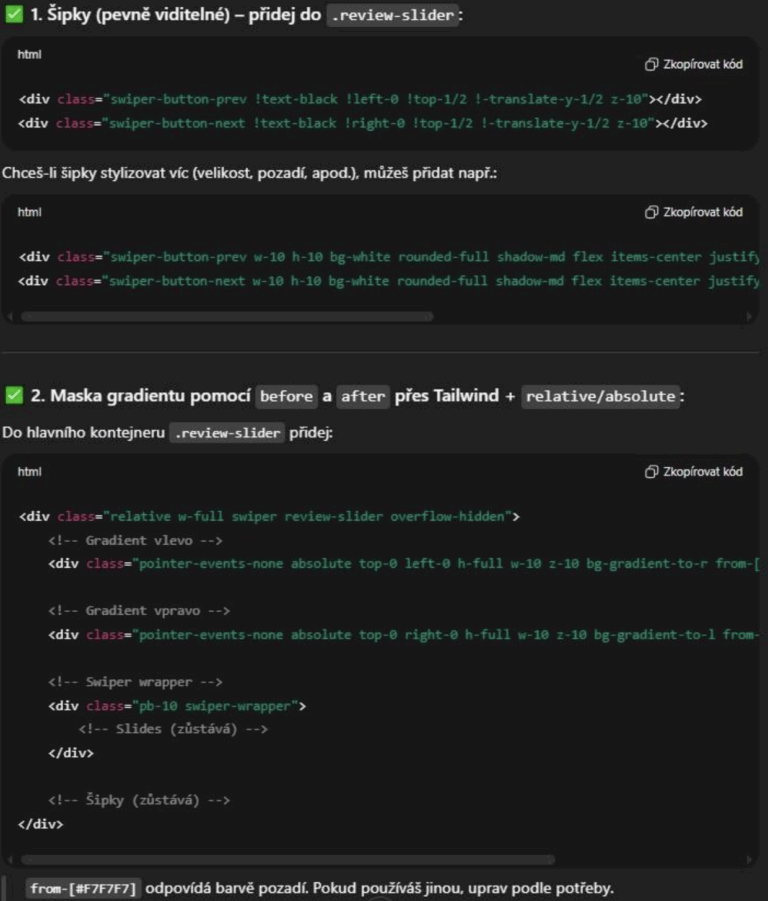
Since we wanted to leverage Tailwind fully to minimize custom CSS, I requested this approach. The AI understood the context perfectly, grasped the structure, and avoided unnecessary repetition. It correctly coded the fade-out transitions on both sides using Tailwind.
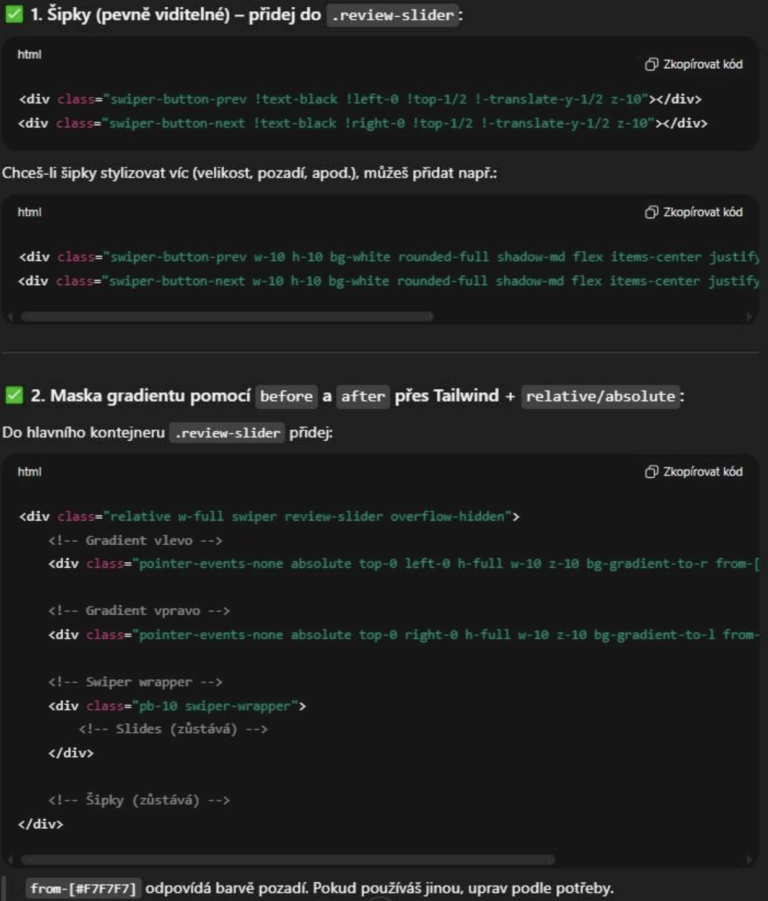
Everything was functional and mostly complete, but after deploying and reviewing, I decided to adjust the slide centering for better visuals. ChatGPT helped with this too.
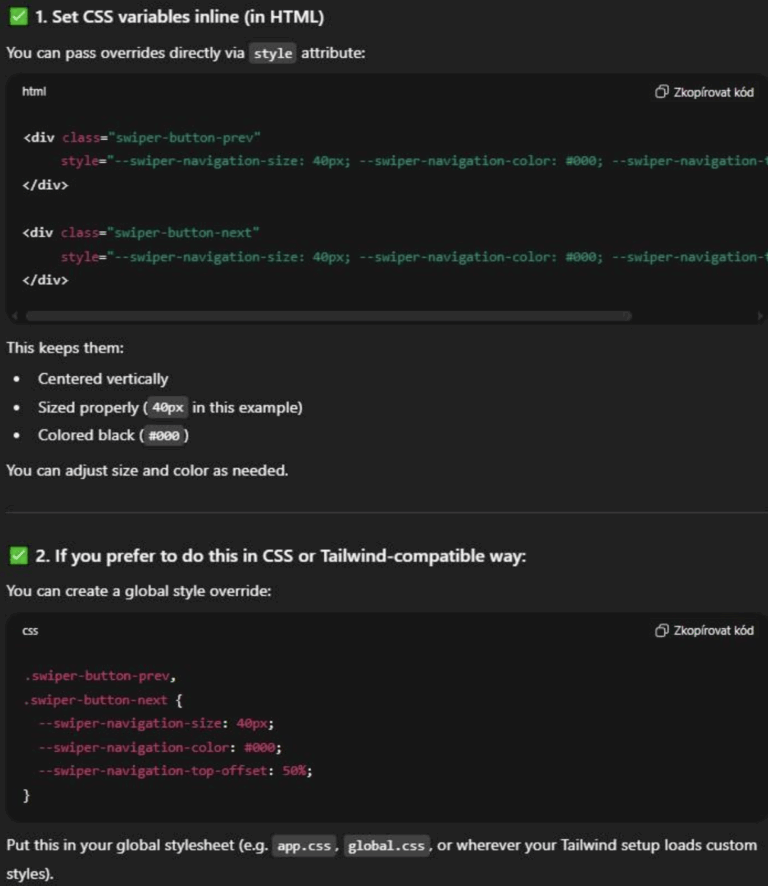
Finally, I wanted to refine some slider element styles that couldn’t be overridden with standard Tailwind classes. I asked ChatGPT for a solution with specific values for arrow size and color, and it beautifully offered two options—the second being ideal: overriding CSS variables in the CSS file.
I spent some time tweaking details to my liking, but that was mostly value adjustments. The functionality and requirements were fulfilled by the AI based on just a few prompts.
Key Takeaways
Language models excel at understanding most programming languages and their typical frameworks and libraries. LLM creators try to compensate for technology limitations through regular updates—primarily the fact that statistical calculations don’t always yield what you need, and output accuracy can vary significantly. We still have a way to go before developers can sit back and let AI handle everything.
However, large language models are already revolutionary for digital content creation. Not just developers, but everyone involved in digital content creation should quickly explore how AI can enhance their specific workflows.
Through this ChatGPT conversation, I wanted to demonstrate the most basic, small-scale method any developer can use to start working with AI and simplify their work. Future articles will explore additional methods and practical AI applications.
Ready to transform your development workflow with AI?