How to Implement Your Own VPS Solution: A Practical Guide for Business Managers

Continuing the Journey to Digital Independence
In the first part of our guide, we covered the basic advantages of a dedicated VPS server for non-technical businesses and introduced several key applications – from web applications to internal systems, secure password management, private cloud storage, and AI assistants.
Now we’ll focus on additional capabilities that your own server offers, security aspects, and most importantly, a practical approach to implementing such a solution in your business. If you’ve been considering a digital transformation for your business or looking for ways to optimize IT costs without compromising quality, this article provides concrete guidance.
Additional VPS Server Applications
Your Own Email Server
Why Consider Your Own Email Solution?
Email remains a critical communication platform for most businesses. Yet many companies entrust this key service to external providers without considering alternatives:
- Independence and Control: Your own email server gives you complete control over your electronic communications
- Communication Privacy: Your business emails aren’t analyzed for advertising purposes
- No Limitations: Unlimited email addresses, mailbox sizes, and attachments
- Corporate Identity: Professional email addresses with your domain without paying extra for “premium” features
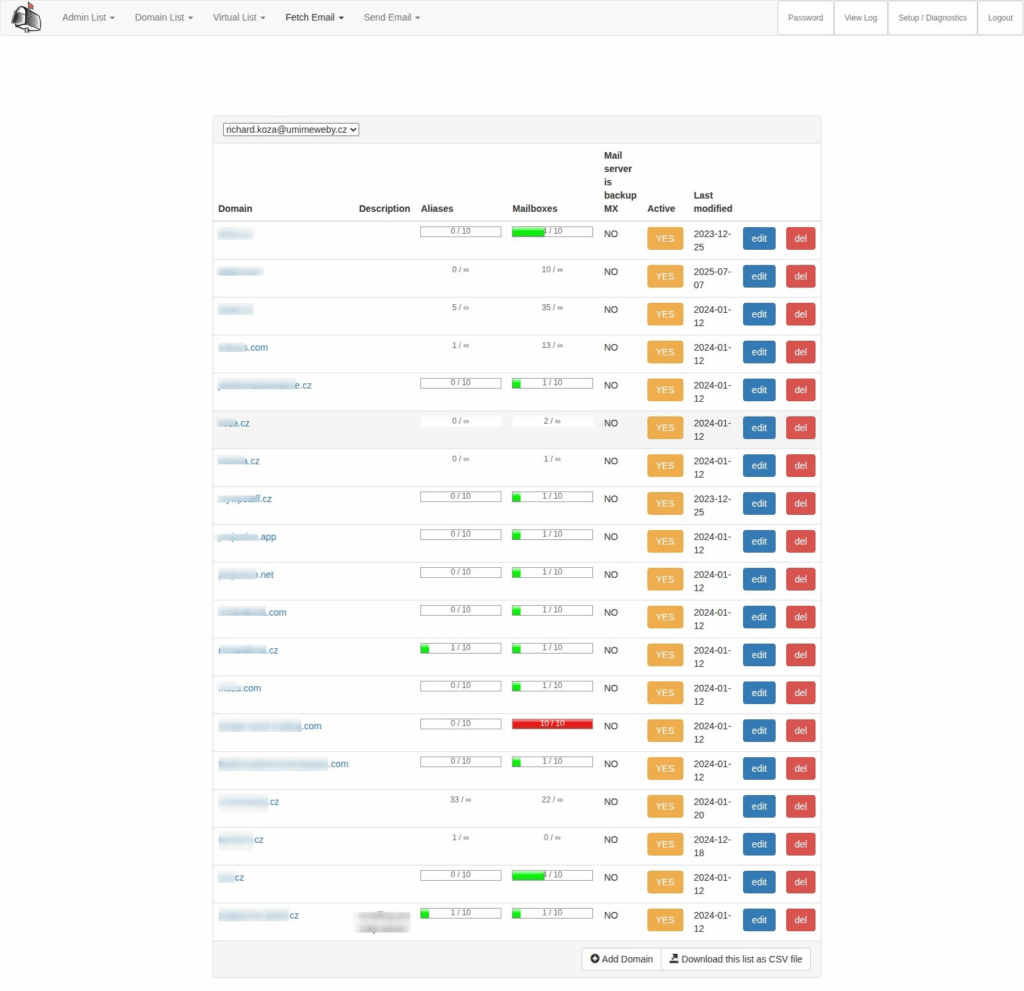
What You Need to Know:
- Modern email servers offer complete solutions including anti-spam protection
- A properly configured email server provides reliability equal to commercial services
- Integration with your own Nextcloud for contacts and calendars
VPN Solutions for Secure Remote Access
With the rise of remote work, VPN (Virtual Private Network) has become essential for many businesses. A VPN on your own VPS offers:
- Secure Access: Employees can safely access company systems from anywhere
- Sensitive Data Protection: All communication is encrypted, even when employees use public Wi-Fi
- Geolocation Flexibility: Access to regionally restricted services regardless of physical location
- Centralized Access Management: Easy control over who has access to which systems
Practical Implementations:
- OpenVPN or WireGuard provide enterprise-grade solutions without licensing fees
- Options for setting different access levels for different user groups
- Integration with corporate authentication
Analytics and Monitoring Tools
Data-Driven Decision Making Without Privacy Compromises
Modern businesses need data for informed decision-making. Proprietary analytics tools on a VPS server offer:
- Web Analytics: Track your website traffic without sharing data with Google or other third parties (Matomo, Plausible Analytics)
- Business Intelligence: Custom dashboards and reports integrating data from your systems (Metabase, Apache Superset)
- Infrastructure Monitoring: Monitor your systems’ performance and detect potential issues early (Grafana, Prometheus)
Advantages Over SaaS Solutions:
- No CCPA/GDPR compliance concerns when collecting analytics data
- Connect data from various sources without exporting to external systems
- Unlimited access to historical data without additional fees
Backup Systems
Protecting Your Most Valuable Business Assets
Data is often the most valuable asset a company owns. Its loss can have catastrophic consequences. A dedicated backup solution on your VPS server offers:
- Automated Backups: Regular backups of all company systems without manual intervention
- Granular Recovery: Ability to restore individual files, directories, or entire systems
- Geographic Redundancy: Storing backups in multiple physically separate locations
- Recovery Testing: Regular verification that backups are actually functional
Key Components:
- Solutions like Duplicati, Restic, or Borg Backup for efficient incremental backups
- Monitoring and notification systems for backup status
- Backup encryption for maximum security
Collaborative Tools – The Case of Zulip
Effective Team Collaboration Under Your Control
Collaborative platforms are the foundation of modern teamwork. Zulip, which we use ourselves, represents an excellent alternative to commercial tools like Slack or Microsoft Teams:
- Structured Conversations: Zulip’s unique topic system allows better organization of discussions than classic chat tools
- Complete History: Unlimited access to all historical conversations without paying for a “premium archive”
- Rich Integration Options: Connect with your other systems and automate workflows
- Cross-Platform Availability: Desktop, mobile, and web interfaces
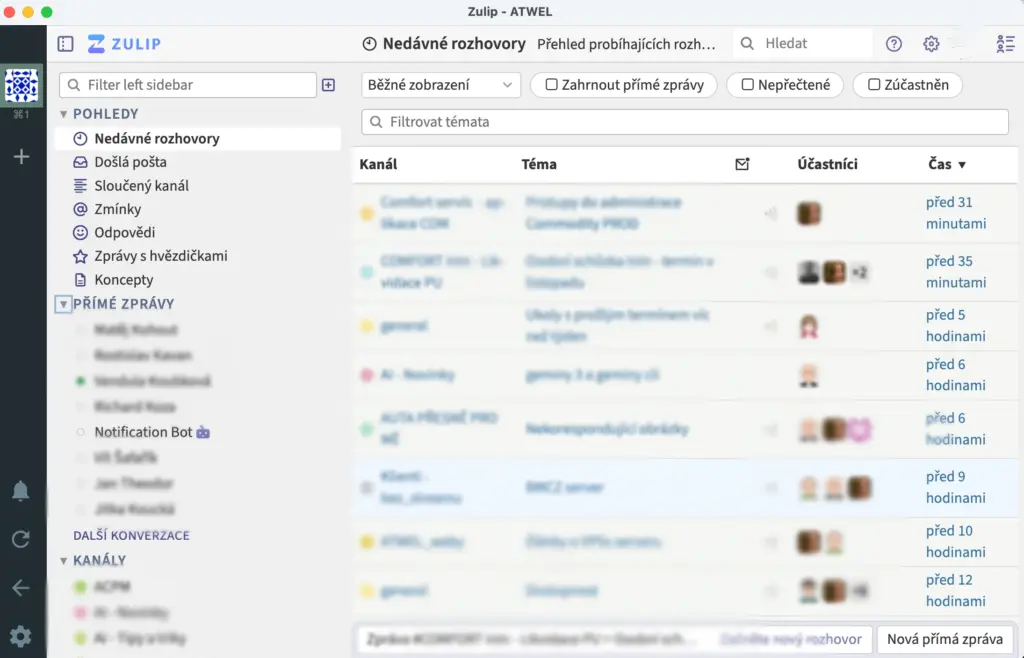
Why Your Own Zulip Instance on VPS?
- No limits on user numbers or messages
- Control over where your internal discussions are stored
- Customization and extension options based on your company’s needs
- Integration with your own single sign-on solution
Security Benefits of Your Own VPS Solution
Control Over Your Data
When using third-party cloud services, you typically don’t have a clear picture of exactly where and how your data is stored and secured. With your own VPS, you gain:
- Transparency: You know exactly where your data is stored and who has access
- Jurisdictional Control: You can ensure your data remains in jurisdictions that comply with your regulatory requirements
- Data Isolation: Your information isn’t stored in shared databases with other organizations’ data
- Audit Trail: Complete overview of who accessed what data and when
Regulatory Compliance
For many industries, regulations like GDPR, HIPAA, CCPA, or various industry standards are key:
- Control Over Personal Data Processing: Clear overview of how your customers’ and employees’ personal data is managed
- Custom Data Retention Policies: Set exactly the rules required by your regulatory obligations
- Evidence Documentation: Ability to demonstrate compliance thanks to managing your own systems
- Third-Party Elimination: Minimize risks associated with additional data processors
Protection Against Vendor Lock-in
Dependency on a single cloud service provider can be risky:
- Independence from Terms Changes: No unexpected changes in pricing models or feature restrictions
- Migration Flexibility: Your data and applications are fully under your control and can be easily moved elsewhere
- Investment Protection: The systems you build remain yours regardless of market changes
- Service Continuity: Independence from external providers’ business decisions
Management and Maintenance – Why There’s No Need to Worry
The Role of Specialized Management Providers
One of the biggest obstacles to adopting dedicated server solutions is concern about technical complexity. The reality is different:
- Specialized Providers: Companies like ours specialize in complete VPS server management for non-technical businesses
- Proactive Monitoring: 24/7 oversight of your systems and problem prevention before you notice issues
- Regular Updates: Security updates and maintenance without your intervention
- Technical Support: Expert help whenever you encounter a problem
What Does Professional Server Management Include?
- Security Monitoring: Detection and prevention of unauthorized access attempts
- Performance Optimization: Ensuring optimal performance for all applications
- Backup and Recovery: Regular backups and recovery testing
- Application Management: Maintenance and updates for all installed applications
- Consultation and Training: Support for decisions about further development of your systems
Affordability of Professional Management
Many companies worry that managing their own server will be financially demanding. In reality:
- Predictable Costs: Clearly defined monthly fees without hidden charges
- Scalable Packages: Options to select support levels based on your needs
- Better Value: Compared to SaaS subscription fees, a managed solution is usually more economical even for medium-sized deployments
Practical Implementation Plan
How to Start With Your Own VPS Solution
Transitioning to your own server doesn’t have to be a sudden change. We recommend a gradual approach:
Step 1: Current State Analysis
- Create an inventory of existing cloud and SaaS services you use
- Identify overlapping functionalities and consolidation opportunities
- Set priorities – which systems to migrate first
Step 2: Pilot Project
- Start with one less critical service (e.g., internal wiki or project management)
- Test functionality and gather user feedback
- Evaluate benefits and potential challenges
Step 3: Gradual Migration
- Systematically move additional services according to your established plan
- Ensure sufficient overlap time for smooth transitions
- Provide users with necessary training and support
Step 4: Optimization and Expansion
- Optimize settings based on gained experience
- Gradually add more services and features
- Measure achieved savings and other benefits
Minimizing Risks During Transition
- Parallel Operation: Run old and new systems in parallel during the transition period
- Testing: Thoroughly test each service before full deployment
- Backup Strategy: Ensure complete backups before any migration
- Rollback Plan: Have a procedure ready to return to the original solution if problems arise
Conclusion – Digital Sovereignty for Your Business
A dedicated VPS server represents a path to digital sovereignty for businesses of all sizes. It’s not just a technological solution but a strategic decision that delivers:
- Economic Advantages: Significant savings in the long term
- Security Benefits: Complete control over your data and systems
- Flexibility and Scalability: Systems that grow with your business
- Independence: Freedom from external providers’ restrictions and conditions
In today’s environment, where digital tools define business competitiveness, a dedicated VPS solution is an investment in your business’s future.
If you’re interested in a consultation or need help implementing your own VPS solution, our specialists are ready to assist you at every step of this journey.
Don’t hesitate to contact us for a no-obligation consultation regarding your specific needs and options for deploying your own VPS solution for your business.